How to Map Your AI & Automation Workflows

Kaiyan Ali
Founder at Montaj Digital

Kaiyan Ali
Founder at Montaj Digital
I'm Kaiyan, founder of Montaj Digital. I help professional service firms put AI and automation to work, so their people spend less time on admin and more on the work only humans can do. I've trained 250+ professionals at our AI Week, and I'm on a mission to help a million service firms do the same.
Follow me for more contentMost people think you can throw AI at anything and a magical, better-than-human result drops out the other end. It doesn't work like that. The people I speak to are either worried AI is coming for their job, or quietly trying to replace someone without really understanding what that person does. Here's the reframe that settles both: AI isn't taking your job, it's taking a lot of the tasks inside your job. You can't replace most jobs. You can replace a lot of tasks. The trouble is that you can't automate a task you have never actually defined, and a surprising number of businesses are running on processes that live only in someone's head.
This was the fourth of our five AI Week sessions, and the most conceptual of the lot. That's deliberate. Before you automate anything, you have to be able to see the work clearly, and most of us are too far in the weeds to do that. If you'd rather watch than read, the full session is embedded further down. Otherwise, read on.
You can't automate a bad workflow
Start with the uncomfortable bit. A lot of people are sitting on processes they think are documented and tracked, and they aren't. The founder holds it all in their head, everyone does the same job a slightly different way, and nobody can say who owns what. Drop AI into that and you haven't fixed anything, you have just made a mess run faster.
For anyone who came to our earlier sessions, this is the same rule from a different angle: the output is only ever as good as the input. Mapping your workflows is how you make the input good and consistent before you automate it. The companies I have seen get the fastest return on AI are the ones that already had sound processes, because there wasn't much mapping left to do. If your processes are shaky, that mapping is the work, and it's a big part of what we actually do when we come into a business.
"You can't just stick AI into a business without really understanding the challenges, the processes, and everything else. His frameworks are really useful and really applicable to any business." (Paz B, Kickass Online, AI Week)
Think in systems, not just tasks
To understand a workflow, you have to understand systems, and I promise this is less academic than it sounds. A system is just a way of looking at something large and complicated so you can step back and see the whole picture.
Most people think in linear systems: A leads to B leads to C leads to D, work moving in one straight line. Real work doesn't behave like that. In a linear picture, if something goes wrong halfway, the line just carries on regardless, which never happens in reality. Circular systems are a truer picture. The output feeds back into the input, the thing learns from itself and self-corrects as it goes. Take a city as an example everyone knows. The workforce, the transport network, the housing market and the wider economy all feed each other. House prices rise, so people move further out, so the transport network strains, so new lines get built, so housing shifts again. And systems sit inside other systems.
Linear system
The line carries on even when something breaks.
Circular system
The output feeds back and the system self-corrects.
Here's why that matters for AI. A process is simply a system with a set start and a set end, bounded so it can't wander off. It's a set of tasks done in a particular order: a start, the big tasks that make up the actual work, and an end. And every big task is really a stack of smaller tasks, each of which is a stack of individual steps. Once you can see a process that way, you can see exactly where a machine could take over and where it couldn't. Think in systems, not just isolated tasks.
What separates a good process from a bad one
A good process has five properties, and they're worth being strict about.
- Structured. Every step has a defined order. Nothing is left to memory or personal preference, and two people don't run it two different ways.
- Documented. It lives somewhere outside the founder's head. When everything is in one person's head, the business can't grow, can't scale, and nobody is accountable when something slips.
- Consistent. The same input always produces the same output. If the result depends on who runs it, the process isn't finished. Ask what happens when that person is off sick or leaves.
- Scalable. If it works for ten clients and breaks at the eleventh, it isn't a good process. You should be able to track what works, who owns it, and what happens next.
- Improving. A good process is never static. It gets a little better over time.
A bad process is the exact opposite: unstructured, undocumented, inconsistent, unscalable, untrackable and static. The quickest test is to watch your team's faces when you ask them what to do next. If they look around the room, you have found one. Plenty of people read that list and recognise their own business in it. That's fine. It's the starting point, not a verdict.
Fix the root cause first: the five whys
If you have spotted a broken process, don't just leave it broken. The technique I lean on comes from Toyota, who turned car manufacturing into the art of process mapping after Henry Ford pioneered it. It's called the five whys, and it's exactly what it sounds like: when something goes wrong, ask why, then keep asking until you reach the real cause.
The classic example runs like this. Why did the machine stop? The fuse blew from an overload. Why did it overload? There wasn't enough lubrication. Why not? The oil pump wasn't circulating properly. Why not? The shaft was worn. Why was the shaft worn? No filter was fitted, so metal debris kept getting in. Fit a new fuse and you're back to a stopped machine next week. Fit a filter and you have actually fixed it. What you first think is the failure is almost always just a symptom of the failure. Go back far enough and the root cause is usually not what you assumed. Find it, put the fix in, then standardise and monitor so it stays fixed.
How to map a workflow: the six building blocks
Now the practical part. You can do this on paper, on a whiteboard, or in an online tool. I use Miro, which is free and lets your team collaborate on the same board, though Lucidchart and a plain sheet of paper work just as well. The point is to get the work out of your head and onto something you can look at.
First, define the start and end points. How do you know the process has begun, and what has to happen for it to be finished? Then physically write out each step, "I do this, then I do that, then this." It feels silly and it's genuinely useful. Keep each step at a similar level of detail, split the big stages into smaller ones, note any decision points where the path can branch, and capture what needs to be produced at each stage.
To draw it, I use six simple blocks. You don't have to copy my colours, but a consistent key makes a map anyone can read.
A consistent key anyone can read
The six mapping blocks.
- Internal task
- Done by me or my team.
- Client task
- A step the client does.
- Robot task
- Any technology or automation.
- Decision
- A yes/no that branches the path.
- Terminus
- Where the process starts or stops (one start, several endings).
- Direction
- Which way the work flows.
If drawing boxes is the part that stops you, hand it off. Record your screen with Loom while you do the task, give the video to Gemini and ask it to turn it into a written process, then map that out. Claude will draw diagrams for you straight in the chat too. Let the tool do the mechanical bit so you can stay focused on the actual problem.
Cruise, co-pilot or captain: which tasks AI should touch
Once a workflow is mapped, you have to decide which steps to give to a machine, because not all of them should be. I use a simple flight deck check. For each task, ask how long it takes a human, how likely AI is to complete it well, and how long it takes to brief, review and retry the AI's version. Then sort it into one of three modes, borrowed from how a cockpit actually works.
Three modes of using AI
The flight deck.
Software runs it
Low/zero variance, same process every time (e.g. transcript → action list).
AI drafts, human reviews
Valuable, nuanced work that improves through iteration (e.g. a client growth strategy).
Human only
High stakes: pricing, scoping, negotiating, legal or financial claims.
Flight-deck check
- 1How long by hand?
- 2How likely is AI to nail it?
- 3How long to brief, review & fix?
Assign cruise when a task is clear, co-pilot when it's complex, and captain when it's consequential. Storytelling, conveying emotion, the high-stakes judgement calls: those stay captain, because the technology can't do them yet. And whatever you automate, keep a human in the loop. The pattern is simple: the task runs, you get notified, and you decide, hand it off as is, edit it first, or send it back to start.
A worked example: client onboarding
Here's how it looks in practice, using an onboarding process most businesses will recognise. The unmapped version goes something like: client signs, someone emails them, someone enters them into the CRM, someone chases compliance internally, someone sends the kickoff email, someone rebuilds the welcome pack from scratch because every client is treated as unique, and eventually the client is onboarded. Client A takes four days, client B takes eighteen, client C takes eleven. The variation isn't bad luck. It's the absence of a map.
The mapped version has a clear start and finish, with each step owned by the client, the team or a machine, and a single decision point that branches on whether the documents have come back. Most of your operations are subprocesses like this joined end to end, and that ending becomes the start of the next process.
Client onboarding, mapped with the six blocks
The onboarding flow, block by block.
Keep improving: the Kaizen loop
No process is finished the first time, and you shouldn't want it to be. The Japanese have a word for this, Kaizen. Kai means to change or renew, which happens to be my name, and Zen means good or for the better. Put together it means improving by 1% every single day. Small, constant tweaks compound into something significant.
You get there by running the loop in the real world rather than in your head. Ship something good enough, watch it, ask why when something breaks, improve it, redeploy, and go again. On that onboarding flow, real use surfaces real problems: question six on the intake form has a high drop-off because it's too long, the document chase at 24 hours is too aggressive for a small business, the welcome pack keeps missing the pricing FAQ so clients are unsure whether it's a three or six-month contract. None of those show up on a whiteboard. They show up when people use the thing, which is the whole point of getting it live and imperfect.
Where to start
If this feels like a lot, start with priorities rather than trying to map the whole business at once. Write down the processes you run today and score each one on a few questions. How much time would automating it save? What's the revenue impact, does it save money, make money, or neither? How high is the chance that quality drops, because if quality is likely to fall, that's probably a captain task you leave alone? How repetitive is it, since machines are far better than humans at the same steps done again and again? And is it actually feasible with today's tools?
You don't need software for this. A pen, some paper and your team will do. Ask people to talk you through what their day actually looks like, because most of them are doing tasks in an order you never realised. That sorts everything into three piles: automate now, plan and build later, and leave for now. Then pick your highest priority, ideally the process that annoys you the most because that gives the best mental return, attack it with full focus, build it out, let it into the real world, battle-test it, improve it with the Kaizen loop, and move to the next one.
Final words
Do all of this and something bigger appears. Every department ends up with a defined set of master processes, each with its own subprocesses and feedback loops, all linked to the clients that pull on them. For the first time you can see your whole business from above instead of from inside the weeds. That's the real prize, and it's what lets you hand work to a team, or a machine, with confidence.
This mapping is the first stage of our own M.A.P. Method, the Map before you automate. Once a workflow is mapped, the automation platforms from our AI toolkit session, tools like Make and n8n, are what you use to build it. If you aren't sure which processes to automate first, that's exactly what a free AI audit is for. You can also start with the seven AI quick wins, or read how to become an AI-first company.
Got Any Questions? We have the answers.
If your question is not answered here, book a FREE AI readiness call and we can discuss it in detail.
Because you can't automate a process you haven't defined, and automating a bad process just makes the mess run faster. AI is only as good as the input you give it, so mapping the workflow first, every step, handoff and decision, is how you make that input consistent. Businesses that map before they build get a far faster return, because the automation has something solid to work with.


Learn with our resources
Stay informed with Our Latest InSights

Why Your Paid Ads Aren't Working: 5 Reasons They Fail for Financial Services Firms
If you've run paid ads for your financial services firm and they didn't land, the ads probably weren't the problem. Most agencies treat a firm closing £20k to £100k engagements like an e-commerce brand selling a £50 product, so they target the wrong way, send traffic to the wrong place, and report on numbers that don't matter. Here are the five reasons paid ads fail for regulated, high-ticket firms, and the fix for each: your creative is now your targeting, cold traffic needs a lead capture not a homepage, follow-up has to happen in minutes, a safe offer is an invisible one, and vanity metrics hide where your system is actually breaking.
Read more
Why AI Isn't Optional Anymore: How to Stand Out in a World of AI
AI is not coming; it is already here, and it is already replacing tasks inside your job rather than the job itself. The wrong question is “will AI take my job?”. The right one is “which parts of my work are easy to replace, and how do I make myself valuable around them?”. Here is what still makes you stand out, and five frameworks to future-proof your work.
Read more
What to Automate First: The 5-Question Test We Run Before Touching a Workflow
Most businesses automate whatever felt annoying that week, and end up speeding up a mess. Before we touch a single workflow for a client, we score it on five weighted questions: time saved, revenue impact, error and quality risk, how repetitive it is, and how feasible it is to build. That gives a score out of 85 and a simple traffic light: 70 or more, automate now; 40 to 69, plan it; under 40, leave it. One reporting task scored 77 and handed my agency back eight billable hours a month.
Read more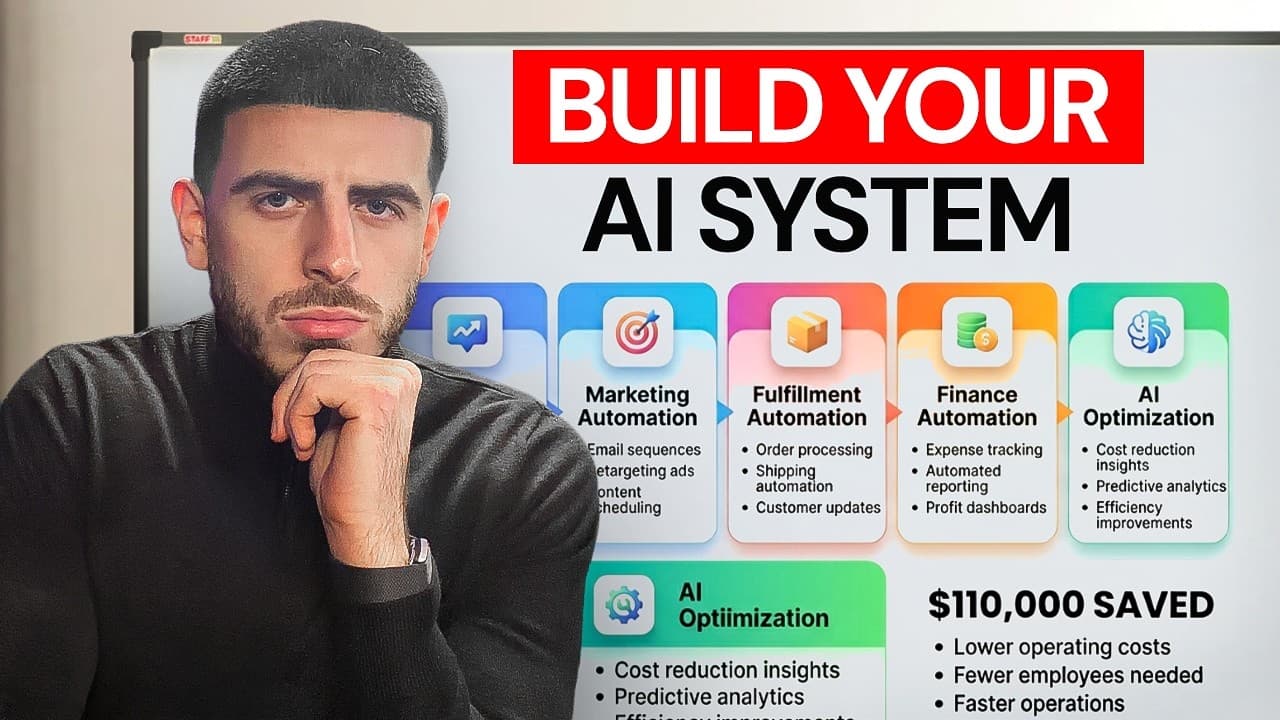
The £110k Hiding in Your Own Data: a Live AI Opportunity Audit in Recruitment
We sat down with a freight-forwarding recruitment firm and ran a live AI audit on the data they already owned: their LinkedIn network, their inbox, and a CRM full of candidates nobody had spoken to in over a year. Running that data through AI surfaced £110k of dormant pipeline they'd forgotten about, and showed that 30 to 40% of the team's week was going on admin a machine could do. The lesson for any service business is simple: the cheapest growth you have isn't a new lead, it's the data sitting idle in the tools you already pay for.
Read more
The AI Toolkit: Which AI Tools to Use in Your Business, and When
Stop asking which AI tool is best and start asking which tool for which job. An AI tool is a tool (brilliant at some things, useless at others), so you hire it for a defined job rather than collecting subscriptions. Sort every tool into six buckets (everyday AI, search and synthesis, a creative studio, autonomous agents, smart assets, and automation), hold one per bucket, and you've covered most of what a business does day to day.
Read more
How to Become an AI-First Company: a 5-Step Framework
Most businesses don't have an AI strategy. They have a few people using ChatGPT when they remember, a pile of subscriptions that don't talk to each other, and no way of knowing whether any of it's working. That's an AI-using company. An AI-first company is different: every tool has a clear job, an owner and a success metric, the knowledge is packaged so it plugs into any model, and improvement is actually measured. This is the five-step framework I use to close that gap: strategy, workflows, tools, knowledge and adoption.
Read more